 Remoude
Approve what Claude Code does — from your phone.
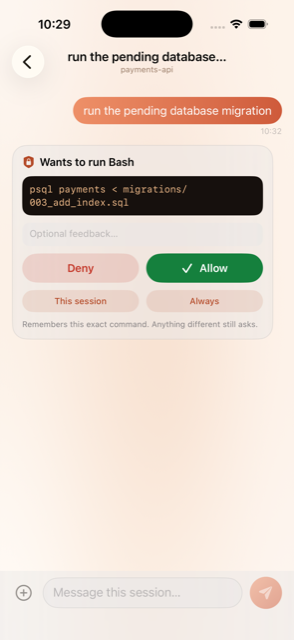
Start a session in your editor, walk away from your computer. When Claude asks “Can I run…?”, the question lands on your iPhone. Tap Allow or Deny, and the answer flows back to the waiting session.
Free. No account, no analytics, no tracking — the relay only ever sees ciphertext.
Your session, in your pocket
More than a yes/no button — every session becomes a chat you can watch and steer from anywhere.
Approve or deny anywhere
Bash, Write, Edit, and Notebook edits arrive as a push. Answer right from the lock screen — Allow needs Face ID, Deny doesn’t.
Deny with a reason
Not just no. Type a note and it’s fed straight back to Claude, steering what it does next instead of dead-ending the run.
Drive an idle session
Type an instruction on your phone and the waiting session wakes with it. Turn on the daemon and a message even spawns a fresh session when none is running — no keyboard needed.
A chat per session
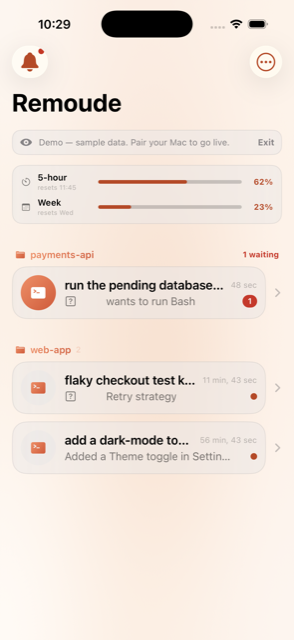
Prompts, requests, and Claude’s turn summaries thread into one conversation. A summary lands when each task finishes.
Usage & limits at a glance
See how much of your 5-hour and weekly windows you’ve spent, when they refill, and how full the context window is.
Remember an approval
“This session” or “Always” stops an identical call from asking again — keyed byte-exact, so it never widens to anything else.
Real screens, real sessions
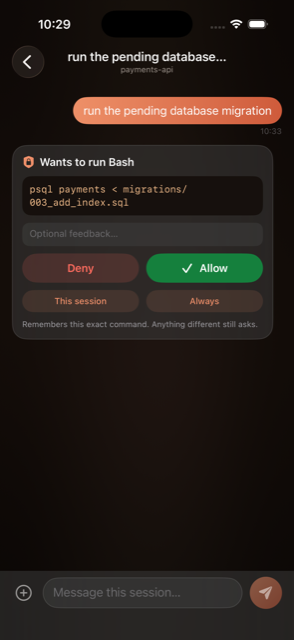
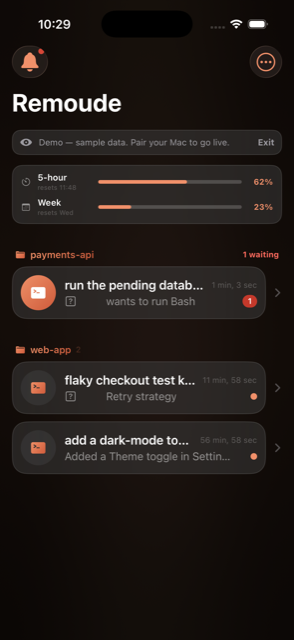
Every Claude Code session, threaded into a chat you can read and answer from your pocket. Shown here in demo mode.
A tiny hook, a sealed round trip
No account to create, no editor to replace. A hook on your computer forwards the question; the app answers it.
Claude asks
A PreToolUse hook catches the call before it runs and seals the question.
Your phone wakes
The push service wakes the app; a device extension decrypts it on-device.
You decide
Allow, Deny, or answer with a note — sealed and authenticated on the way back.
The session continues
Your verdict flows into the waiting hook and Claude carries on. Nothing ever bricks.
Only active in away mode (remoude on). Otherwise Claude Code behaves exactly as normal. Don’t answer in ~9.5 min? The normal local prompt quietly returns.
The relay can’t read it. Nobody can forge it.
Everything that leaves either device — the push payload, questions, verdicts, instructions, device tokens — is a ChaCha20-Poly1305 sealed blob, keyed off your pairing secret via HKDF. Apple and the relay only ever transport ciphertext.
- The encryption key never leaves your computer and phone.
- AEAD auth means nobody without the secret can forge an “Allow.”
- Self-host the relay — the hook, relay, and crypto are all open source.
- No accounts, no analytics, no tracking. Data Not Collected.
One command on your computer
No Apple developer account needed. macOS or Linux — the relay holds the push key, so your computer only needs a pairing secret.
# install the hook, generate a pairing secret, print a QR
curl -fsSL https://github.com/hiletmis/remoude-public/releases/latest/download/install.sh | bash

# then, from anywhere
remoude on      # leaving the desk — route prompts to the phone
remoude off     # back at the desk — normal local prompts
remoude status
Then install Remoude from TestFlight, open it, and scan the pairing QR. Allow notifications — the push token publishes itself. Want to look first? Tap See a demo for sample conversations.
Walk away from the desk. Keep the session.
Free, open source, and end-to-end encrypted.